Introduction
XL Designer is an advanced printed circuit board (PCB) layout design software solution suitable for the creation of large complex multilayer boards.
Boards may utilise blind and/or buried via hole technology, and individual power plane layers may be split into multiple zones to permit multiple power nets on each power plane layer.
When working on very large and complex designs, speed of interaction and display rendering performance are crucial. XL Designer uses multiple processor threads for many of its display rendering operations and will scale across available processor cores. The result is lightning fast display update rate.
Usablilty
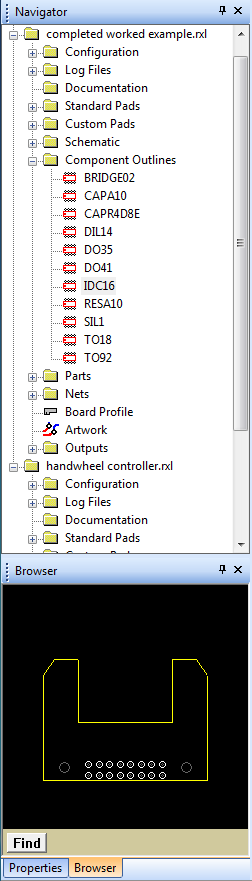
All PCB design operations revolve around a Navigator pane.
The Navigator pane displays all designs which are open, and provides rapid access to all of a design's resources, attributes and editing tools. Multiple designs and editors can be open and used at the same time, allowing ease of data transfer.
Below the navigator pane are the Browser and Properties windows. These windows always display an image or the properties of the currently selected entity, allowing easy identification and selection of the correct item.
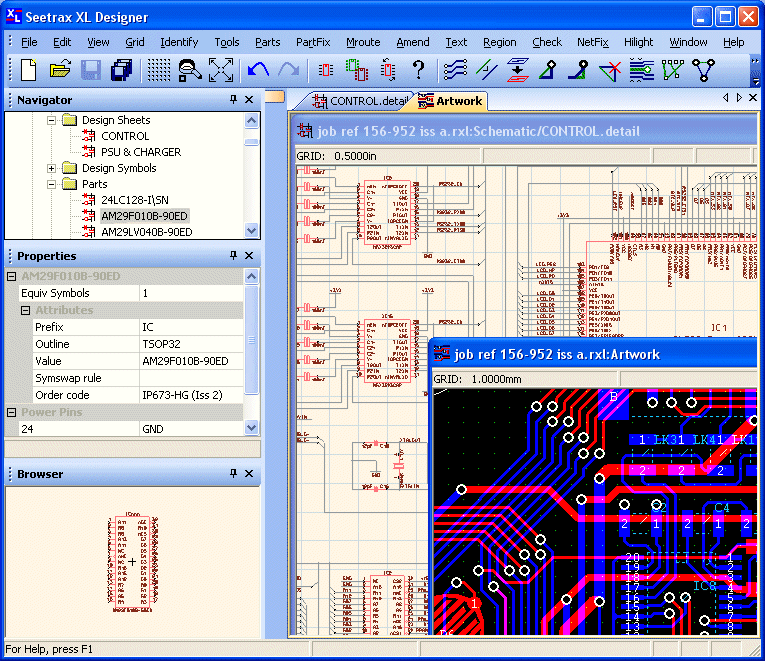
The image below shows the PCB artwork and schematic editors of the same design open simultaneously.
For users with a multi-screen display setup, the artwork editor can be opened in an 'undocked' state and moved away from the main application window thus allowing for more efficient use of available screen area.